Manage multiple developments
Keep sites, plots and progress organised in one company workspace.

 TRADECOREPLAN | MANAGE | DELIVER
New-build contractors
TradeCore keeps your new-build projects organised — from plot allocation and schedules to progress, snags and worker records. Give your site and office teams the clarity they need to keep developments moving.
30 days free · No card required
Key benefits
New-build subcontractor software that brings your sites, plots and people together — without juggling spreadsheets, group chats and paperwork.
Keep sites, plots and progress organised in one company workspace.
Assign workers to the right plots and trade stages, with a clear weekly plan.
Follow plot status, photos and notes so the next visit picks up where the last left off.
Record outstanding work against the job and keep the team informed before handover.
Approve completed tasks, hold retention for snags and release it when checked.
Keep worker details, qualifications, CSCS card images and documents together.
Organise each development into plots, then allocate workers to the relevant work areas and trade stages. The weekly schedule shows who is assigned and where they are due. When a worker records holiday or sickness, review availability and move the affected work to someone else instead of relying on an old spreadsheet.
A plot may need preparation, first fix or coating work before a later return visit. Use your trade workflow to show the stage, and keep readiness notes, photos and issues with the work area. Workers can see their jobs and update progress while the office follows what has been recorded.
Workers start a pricework task and submit it when complete without having to record daily hours for that task. The office sees work awaiting approval and can hold a fixed amount or percentage against an agreed snag checklist. Once the snags are checked and the retention is released, the worker can invoice the retained amount separately. Daywork remains separate, with daily entries grouped into weekly timesheets for review.
Started, unfinished pricework can carry forward to the next eligible working day on the same job. Company working days and recorded absences are respected. If another allocation clashes, the office is notified so a manager can resolve the plan rather than silently double-booking the worker.
Full administrators control company access. Office staff can manage day-to-day records, while contracts managers work within their assigned scope. Workers get their own view for allocations, attendance and job updates. Your logo and colours carry through the app on phones, tablets and computers.
A decorating contractor has teams on two developments. The manager allocates preparation on plots 12–15 and finishing work on plots 21–23. A worker reports sickness, so the manager reviews the allocation and reassigns it. Progress photos and snagging notes stay with the relevant plot for the returning team.
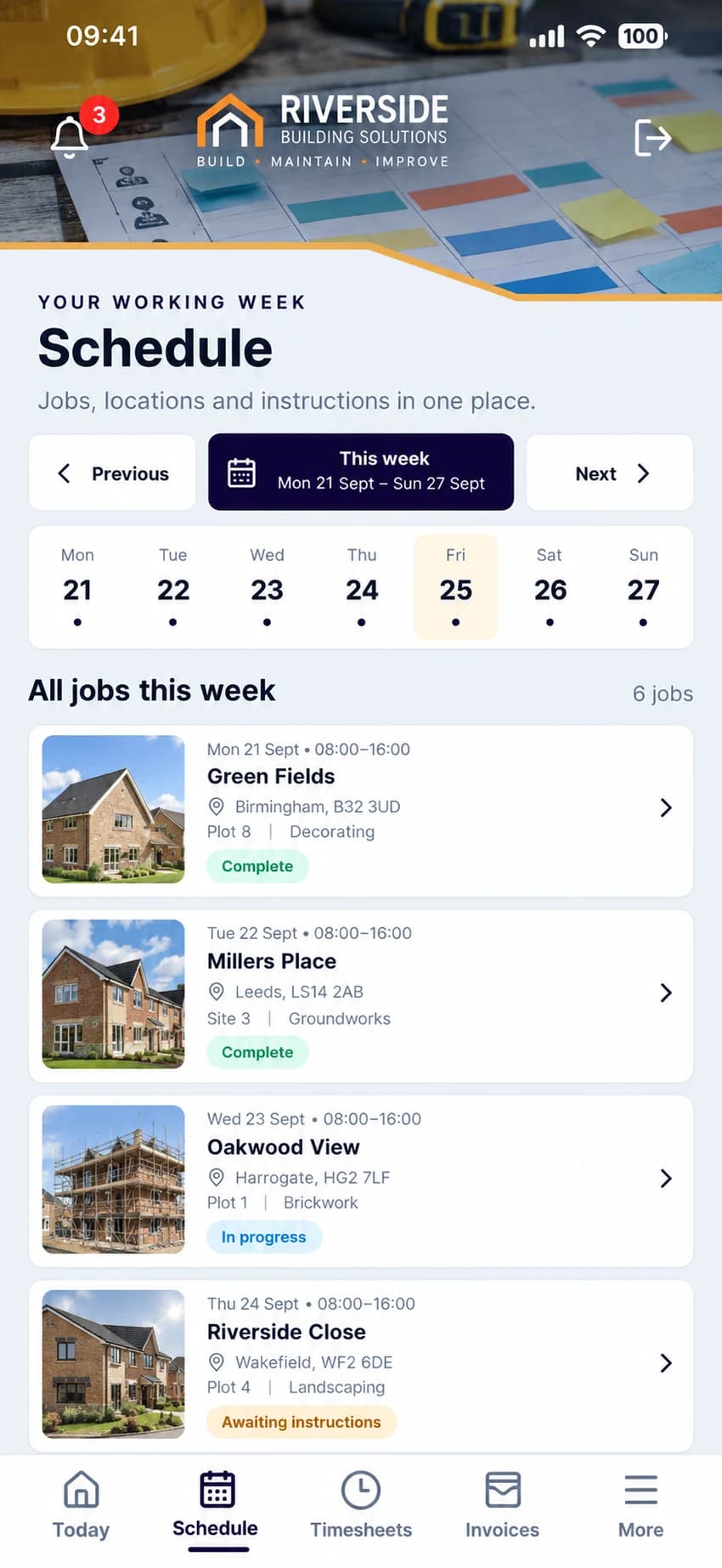
From start to finish
TradeCore gives you a clear view of what’s happening across your developments, helping you deliver on time, to standard and with less hassle.
30 days free. No card required.
Common questions
Yes. All plans include unlimited sites. The plan allowance is based on active workers; administrators and managers do not count towards it.
Yes. Allocate workers to the relevant plots and trade stages in the weekly schedule. You can plan more than one job in a day and review availability when holiday or sickness is recorded.
Yes. Keep issues, photos and notes with the relevant job or plot so the site team and office can follow outstanding work and its progress.
Yes. When approving pricework, an administrator can hold a fixed amount or percentage and record the snag checklist. Released retention becomes separately invoiceable, rather than being paid twice as part of the original task.
Full administrators control company access. Office staff can manage day-to-day records, while contracts managers work within their assigned scope. Workers get their own view for allocations, attendance and job updates. Your logo and colours carry through the app on phones, tablets and computers.
Yes. Organise a domestic property by rooms and a new-build development by plots within the same company.
No. Each trade has a starting workflow that your company can edit to match its process.
No. Choose a plan and try TradeCore for 30 days with that plan’s active-worker allowance. All features and unlimited sites are included. You choose whether to start a paid subscription; the trial does not automatically charge you.