Worker Management
Invite workers by email, guide their first setup and keep contact details, pay settings and availability together.

 TRADECOREPLAN | MANAGE | DELIVER
Features
TradeCore gives you the tools to plan, manage and deliver with less admin, better control and a more productive team.
Powerful features
TradeCore brings jobs, teams, schedules, work records and worker invoicing together in one easy-to-use app—for domestic jobs, commercial projects and new-build developments. These core tools are included in every plan. Accounting providers require their own suitable subscriptions; offline and notification features depend on your device and setup.
Get the right people to the right jobs.
Invite workers by email, guide their first setup and keep contact details, pay settings and availability together.
Manage new-build plots, domestic rooms and commercial work areas, with site photos, contacts and current trade stages.
Assign people, sites, work areas and workflow tasks. Workers see the job, pay basis and stage before opening the details.
Plan in worker or site views. Compact daily cells expand when you need the detail.
Allocate more than one site or task to the same worker in a day without stacking a tall schedule column.
Keep the working day and its records connected.
Keep progress and completion photos with the job. Older images load in batches when opened, saving data.
Keep instructions and updates alongside editable trade stages, so site teams and office staff use the same job context.
Report problems against work areas, follow them through to resolution and keep completed issues separate.
Record Start and Finish when workers tap. Review location-check results where enabled, without continuous tracking.
Review daily records grouped by worker and week. Check location evidence, query entries and approve the right hours.
Explore scheduled days, recorded attendance, absence and timekeeping charts. Missing clock records are prompts to review, not proof of a no-show.
Workers explain forgotten Start or Finish actions for review with their weekly time. Supported device reminders help them remember.
Previously downloaded jobs support Start, Finish and pricework actions without signal. Pending actions sync when the app is reopened online.
Turn completed work into clear approvals and invoices.
Agree task prices and review completed work without daily clocking. Started, unfinished tasks can continue on eligible working days.
Keep day work, hourly work, approved pricework and released retention in context. Enable automatic invoice generation and submission for approval.
Hold a fixed amount or percentage at approval, track snag checks and release retained pay as a separate invoice item.
Workers see recorded gross pay, VAT, CIS deductions and net receipts by UK tax year, with a downloadable summary.
Give your team the right access, identity and support.
Record absence periods, prevent holiday scheduling clashes and notify the team when cover may be needed.
Full administrators, office staff, scoped contracts managers and workers each have access suited to their responsibilities.
Store front and back card images with worker profiles. Authorised users can preview and share them using supported device options.
Set your name, logo, app identity, colours and loading screen from company Branding settings.
Use mobile, tablet or desktop. Install from supported browsers and open relevant records from in-app notifications.
Search role-specific help in the app. Company administrators can raise tickets and keep support replies together.
Reduce retyping and keep payment records in step.
Connect your own UK accounting business, map workers to suppliers and send approved labour invoices without retyping.
Set each worker’s verified CIS treatment, labour account and VAT code. Preview deductions and supported reverse-charge treatment before sending.
Check actual accounting payments daily or on demand. Matching full settlements mark invoices paid; exceptions stay visible for review.
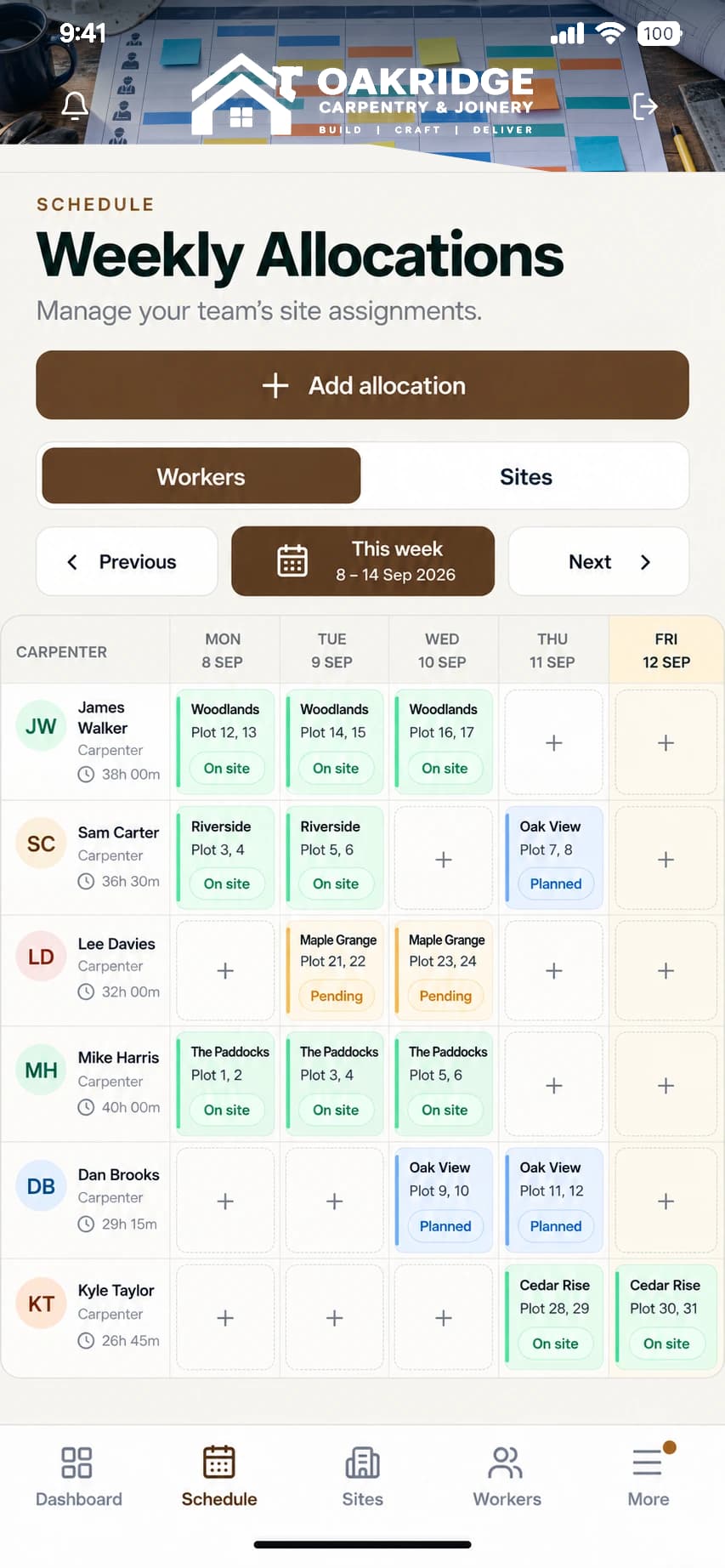
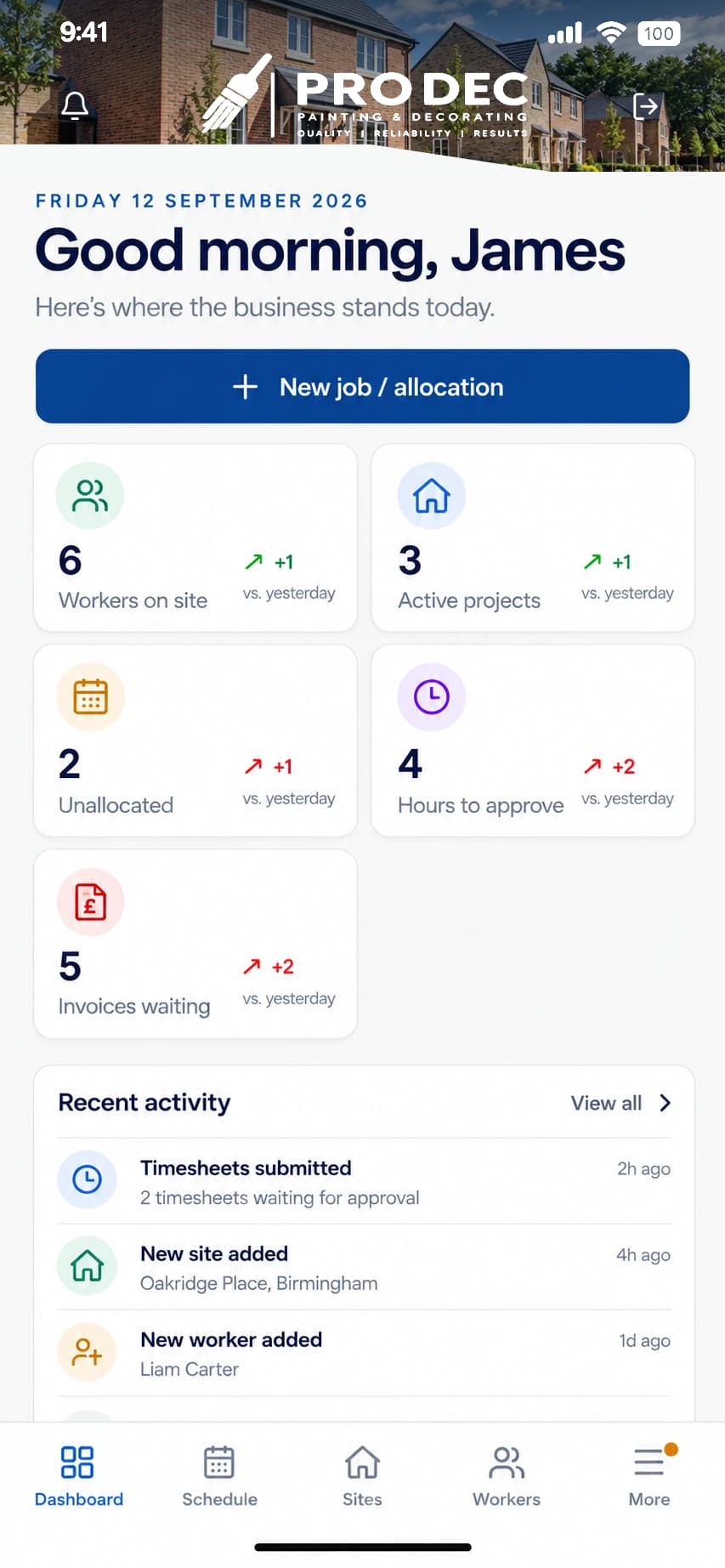
On site. In your pocket.
Make it yours
Give your team a familiar workspace with your company logo, colours and branded loading screen. Full administrators can manage branding in company settings. These examples show how the same TradeCore app can carry different company identities.
Connected accounting · included in every plan
Send approved worker invoices to your own Sage Accounting or Xero business, without retyping the same information.
Your provider’s subscription is separate. Supported products and payment checks are explained in our connection guide.
Explore accounting connections

Built for the whole team
Oversee the whole company, jobs, approvals and billing. Control administrator creation, removal and roles, and manage company settings.
Explore the owner viewManage daily operations, worker records, scheduling, invoices and accounting. Administrator creation, removal, deactivation and access changes remain with full administrators.
Explore office staffManage assigned workers and their work, create workers, change worker pay rates, and review invoices and payments within your permitted scope.
Explore the manager viewSee your allocated jobs, record time or pricework progress, add photos and updates, report absence, and view your own invoices and pay records.
Explore the worker viewBuilt around your work
Manage rooms and commercial work areas, schedule your team and keep progress photos, weekly timesheets and worker invoices together.
Explore domestic & commercial trades →Schedule teams across sites and plots, track progress and keep pricework, snagging, retention and worker invoices together.
Explore new-build contractors →Manage a way of working that fits any job: connect pricework tasks, approvals and worker invoices, alongside day work and hourly work.
Explore pricework management →Start your own company workspace with a 30-day free trial. No card required.