People & permissions
Invite workers and administrators, set administrator roles and decide which sites and workers a contracts manager can access.

 TRADECOREPLAN | MANAGE | DELIVER
TradeCore for Business owners
Get a clear view of your people, sites and progress. Keep your team, jobs, paperwork and accounts connected so you can focus on running your business.
Built around your role
Start with the company dashboard, then go straight to the work behind the figures. Keep the office and site team working from the same records, with your own branding and trade workflow.
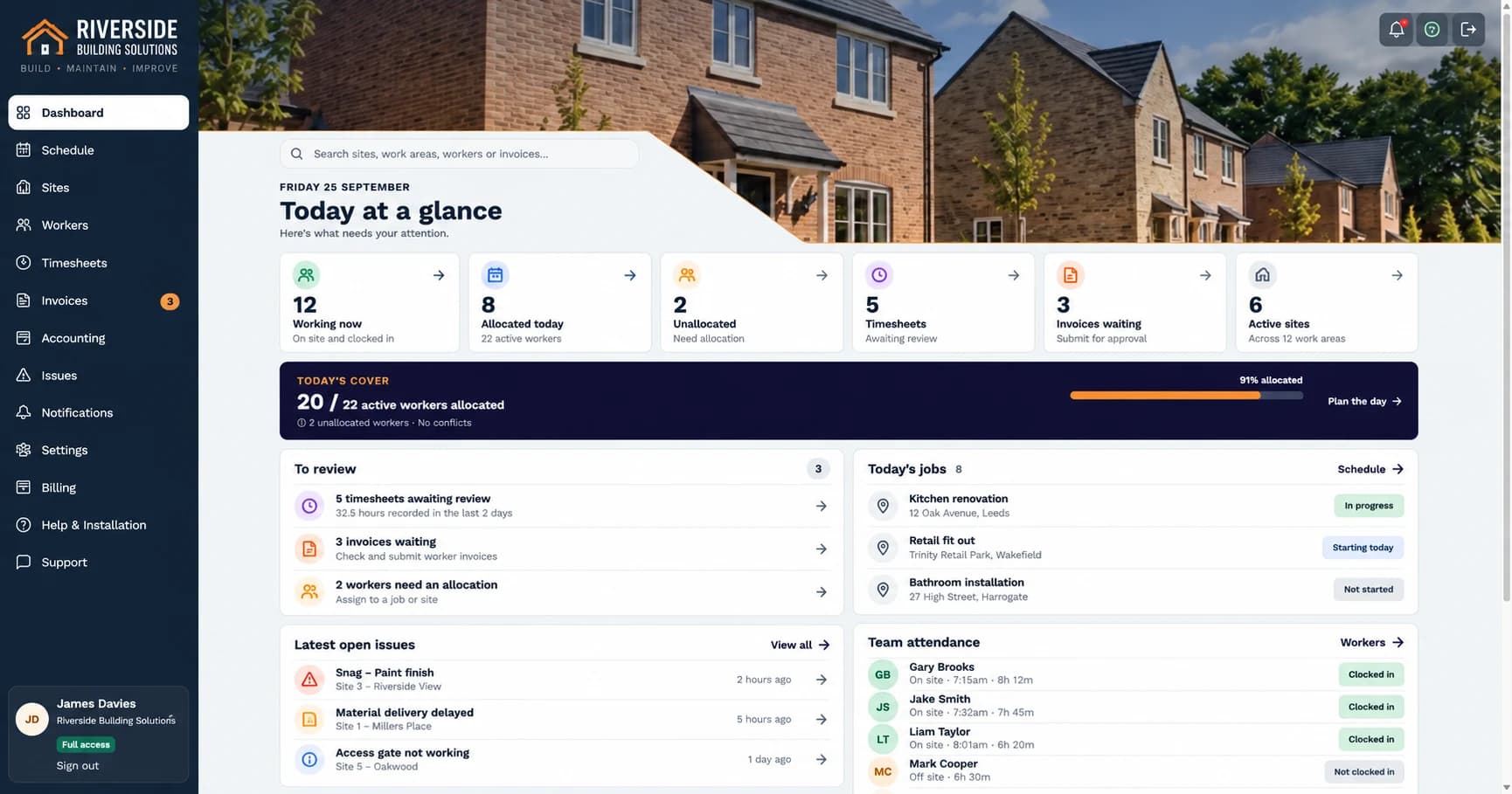
Invite workers and administrators, set administrator roles and decide which sites and workers a contracts manager can access.
See allocations, availability and site activity together. Plan the week and deal with gaps before they become missed work.
Review weekly timesheets, follow completed pricework and approve worker invoices. Record payment status alongside the work.
Follow sites organised by plots or rooms, with photos, notes and issues attached to the job.
Apply your logo and colours so the app feels like part of your business, in the office and on site.
Choose your active-worker allowance. Every plan includes all features, unlimited sites, administrators and managers.
Owners/full administrators, office staff, contracts managers and workers have different access. Keep company-wide settings separate from assigned day-to-day responsibilities.
Read the guide →Full-access administrators control administrator creation and access. TradeCore records worker invoices and payment status; it does not run payroll or transfer payments to workers.
Explore Sage and Xero connections →From setup to success
Add company details and branding.
Give the right people access.
Add jobs and allocate workers.
Keep photos, issues and records current.
Follow approvals and plan ahead.
Common questions
Yes. Choose the active-worker allowance that fits your team. Every plan includes the same features and unlimited sites, administrators and managers.
Yes. Keep domestic, commercial and new-build work in one workspace, with sites, plots, rooms or work areas appropriate to each job.
Full administrators control administrator accounts and access. Office staff handle day-to-day operations; contracts managers work within assigned sites and workers. Workers see their own assigned work and records.
Review the updates your team records: progress, photos, notes, issues and attendance. Offline actions only become visible to the office after the worker reconnects and syncs.
Yes. Review weekly time with daily records and corrections, then check worker invoices before approval. Work records and invoice amounts help you review worker costs; TradeCore is not a complete project-costing package.
Yes. Manage pricework alongside hourly or day work, approve submitted work and hold or release retention where applicable.
Yes. Connect one supported UK Sage Accounting or Xero business, send eligible approved worker invoices and check verified payment updates. Your provider subscription is separate.
Yes. Set your company name, logo, colours and app identity, including a centred logo-only option or logo with text.
Choose a larger active-worker allowance as your team grows. All plans include all features, unlimited sites, administrators and managers.
Start a 30-day trial with no payment card required. You choose whether to activate a paid subscription.
30 days free. No card required. All features included.