Know where to go
See assigned sites, plots or rooms and open the job details. Use the map link when you need directions.

 TRADECOREPLAN | MANAGE | DELIVER
TradeCore for Workers
Find your work, record your time and keep the office updated from your phone. Your jobs and the information you need, together in one place.
Built around your role
Open Today to see your assigned work and useful details. Move from your schedule to the job, add updates as you go and follow your own time and invoice records.
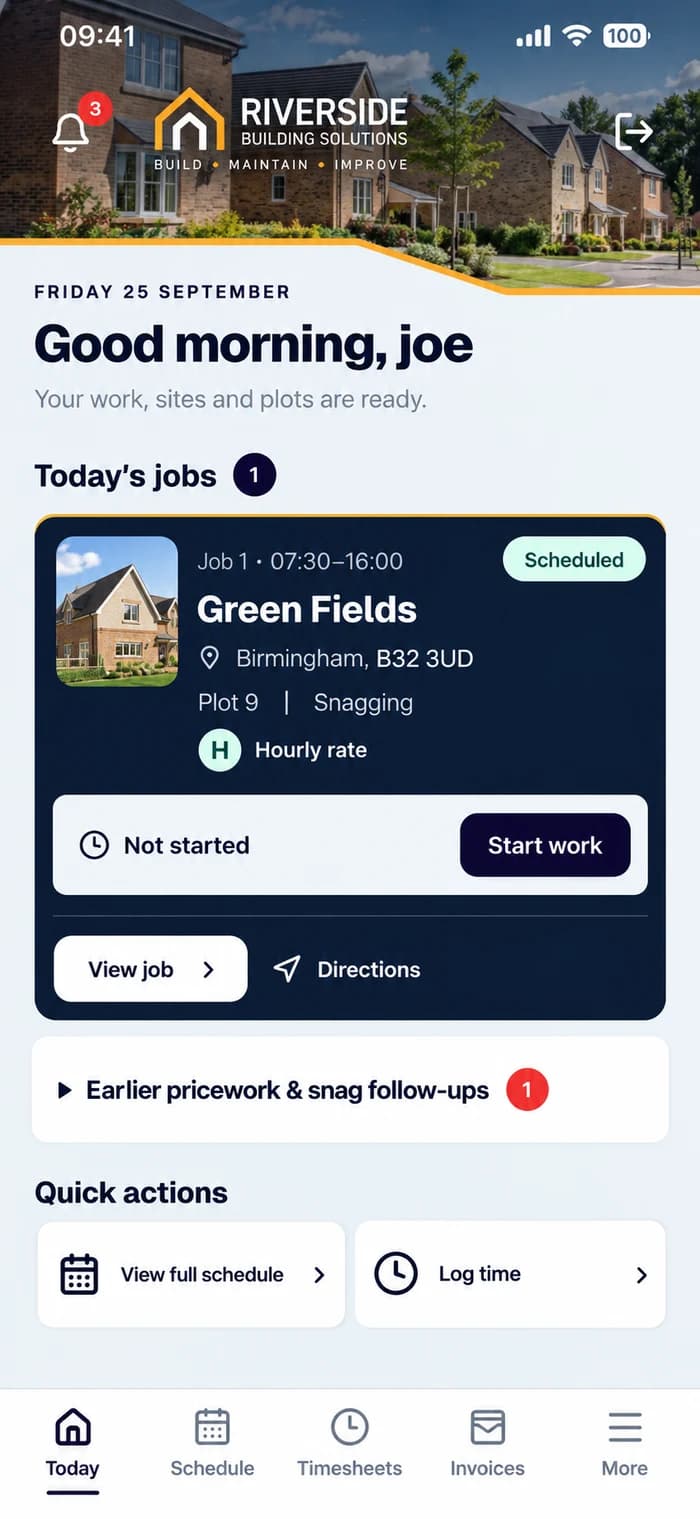
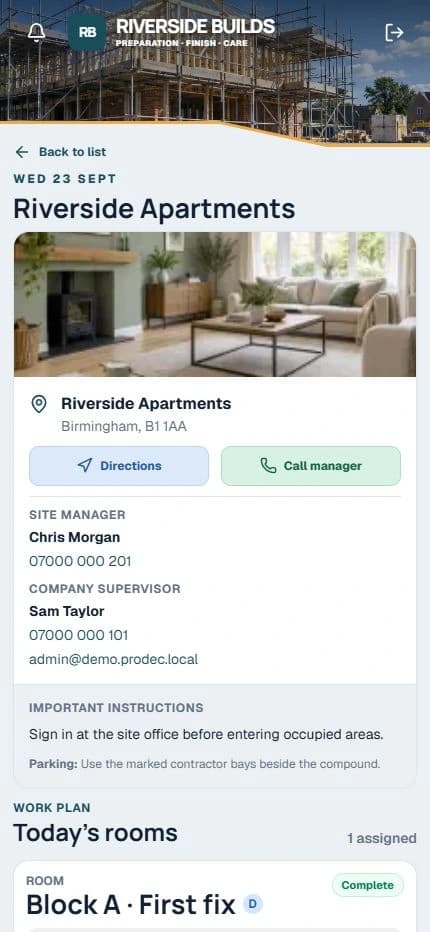
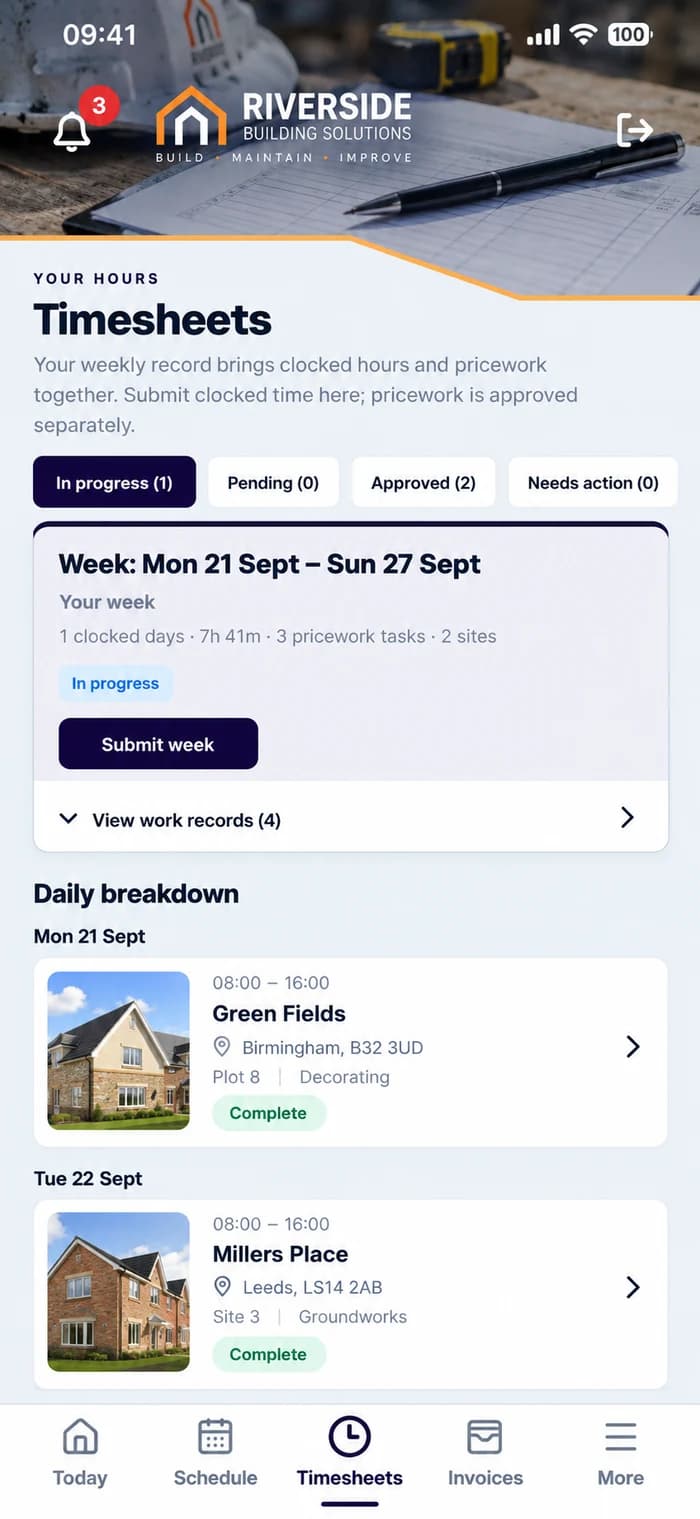
See assigned sites, plots or rooms and open the job details. Use the map link when you need directions.
Clock in and out and review your own time records. Weekly timesheets bring your working days together for review.
Add job photos, notes and progress so the office can see what is happening and what needs attention.
Follow the work allocated to you and record completed pricework tasks alongside the job, using your company’s setup.
Create and submit worker invoices and see their status, with the supporting work records kept in the app.
Record holiday dates or report sickness so your manager can see your availability and arrange cover.
Saved jobs support offline clocking and pricework actions. Reopen online to sync before the office can see them. Photos, notes and new allocations need a connection.
Read the guide →Workers join an existing company by invitation; you do not need to buy a separate subscription. Your company administrator manages your allocations, pay rates and approval decisions.
Getting started →A straightforward working day
See what’s planned and read the details.
Use the address and directions.
Tap Start for time-based work; use the relevant pricework action.
Add online updates and tap Finish when done.
Review records and update availability.
Common questions
Your company creates your worker account and sends your invitation. Use that email to set your password and sign in. You do not buy a separate subscription.
Your assigned jobs and the work, time and invoice records available to you. You do not receive the company’s full administration area.
No. Use your phone browser and add TradeCore to your home screen on a supported device. The support centre explains installation.
Yes. Open Schedule for your assignments and View job for the address, instructions and Directions link. Maps may require an internet connection.
Yes. Keep updates with the relevant work record while online. Photo uploads and notes require a connection.
For time-based work, tap Start and Finish at the time you begin and end. If you forget, request a correction with a reason; the original record remains available for review. Pricework uses its own Start/Finish or submission actions.
Yes. Review your own records and submit worker invoices where applicable. Automatically generated invoices go for approval when your company enables that setting. Approval does not mean payment has been transferred.
Your allocated work shows its pay type and workflow task. Record supported pricework actions and follow outstanding work and snag follow-ups.
Use the absence option in More. Your company can review availability and affected work. Ask your administrator about company policies or approval decisions.
Open the app online first to save assigned jobs on that device. Supported Start/Finish and pricework actions queue with the original tap time, then sync when you reopen online or choose Sync now. Photos, notes, new allocations and invoice changes require a connection. Do not reinstall or clear data before syncing.
Contact your company administrator for pay rates, assignments or approval decisions. TradeCore Support can help with the software.
Your company invites you. No separate worker subscription is needed.
Looking to use TradeCore for your business? Start a free trial →